
Fresh new look & better desktop experience
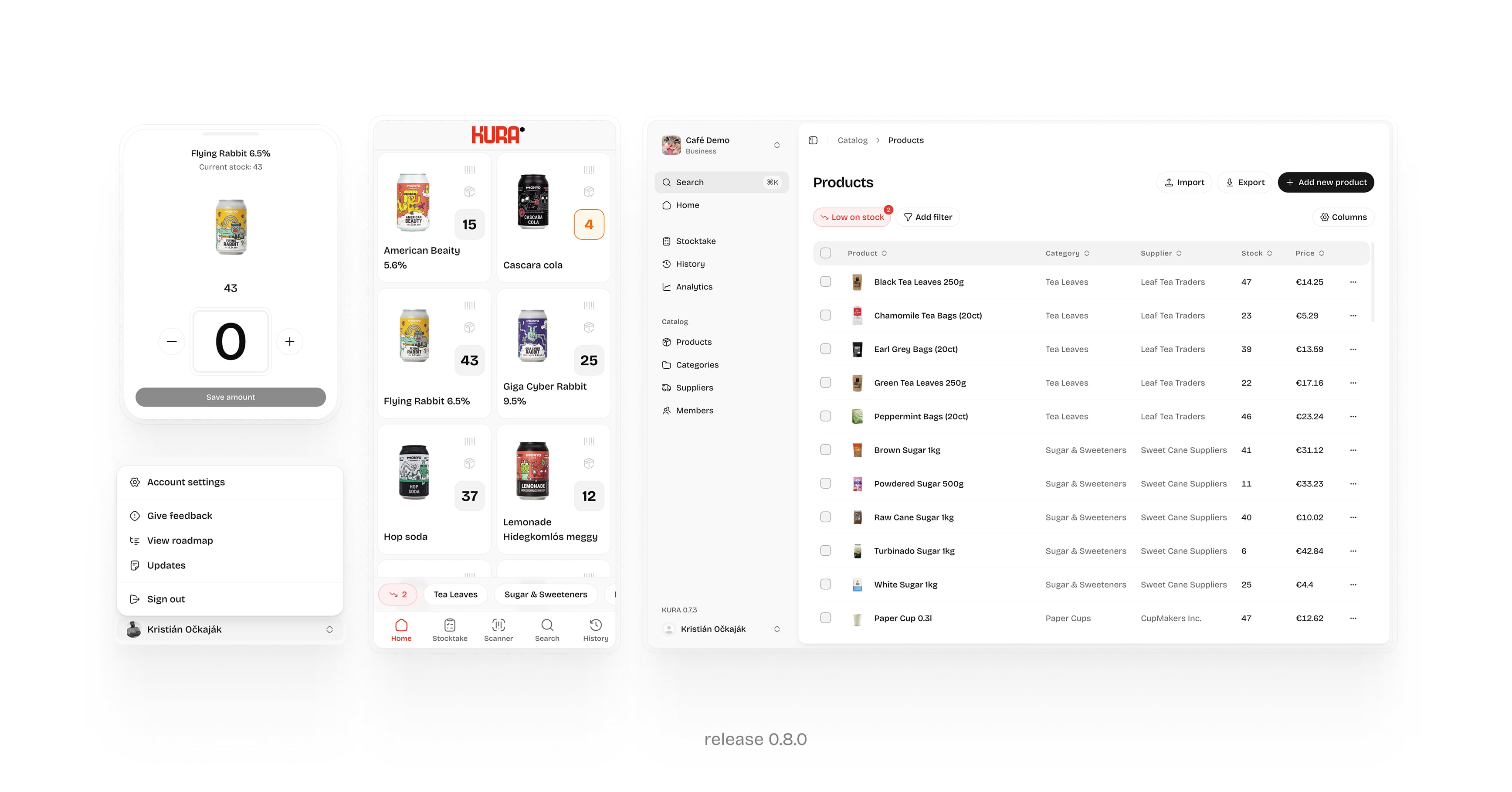
This release focuses on making KURA more consistent, easier to navigate, and more powerful on larger screens.
v0.8.0 - October 2026
✨ What’s new
-
A completely refreshed design
We’ve updated the entire app with a unified design system. Buttons, forms, menus, tables, and dialogs now share a consistent look and feel, with improved spacing, colors, and typography. -
A better desktop experience
KURA now makes better use of larger screens with a new sidebar navigation and wider layouts, making everyday inventory management easier. -
More powerful data tables
Products, categories, suppliers, and members now have full-featured tables. Filter and sort data, pin important columns, and customize which columns are visible. -
New command palette (CMD+K)
Quickly navigate between pages and access actions without digging through menus.
KURA 0.8.0
Inventory Counts & Better Stock Tracking
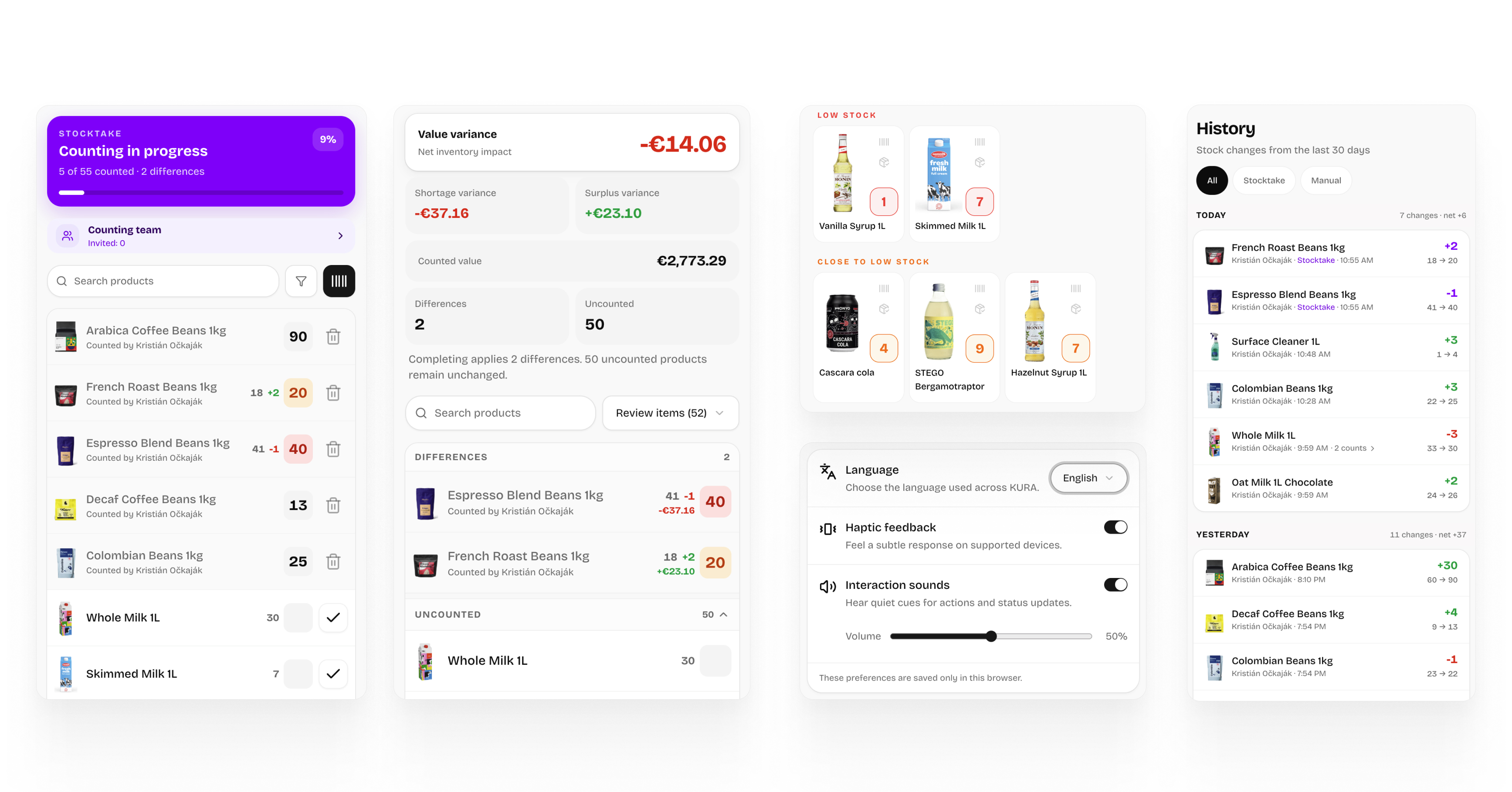
Keeping your stock levels spot-on just got a whole lot easier. This update introduces precise inventory counts to eliminate guesswork and adds multi-language support so your teams can work in the language they’re most comfortable with.
v0.7.0 — August 2026
✨ What’s new Inventory countsRun a complete stocktake to see what is actually in stock.
Start a count, record quantities with your team, and immediately identify missing or extra items. You can also review previous counts, edit entries, and export completed counts as CSV files.
Better stock historyThe stock history has been completely redesigned with product images and clearer information.
Your audit trail now stays accurate even if products, categories, or suppliers are edited or deleted.
Package sizesTrack products in the units that make sense for your inventory.
For example, you can define 1 box as 12 pieces and record quantities using packages instead of individual items.
Smarter stock levelsKURA now distinguishes between low stock and near-low stock, helping you spot items that need attention earlier.
The product detail also previews the resulting stock level before an update and shows previous quantities for better context.
English and Slovak supportKURA is now fully available in English and Slovak. You can switch languages directly in the app.
Haptics and soundsNew haptic and sound feedback makes important actions feel clearer and more responsive.
🛠️ Improvements and fixes-
Press feedback no longer plays while scrolling.
-
Prices are hidden from members who do not have permission to view them.
-
Plan item limits are now enforced securely and cannot be bypassed.
-
Bulk actions show the correct number of affected items.
-
New empty states make it clearer when there is nothing to display yet.
-
The Home tab has been renamed to Items.
KURA 0.7.0
Faster onboarding & smarter item management
v0.6.0 — January 2026
This release focuses on speeding up onboarding, improving item management, and giving owners more control over their accounts and organizations.
-
Simple item import & export
Easily upload or export items without unnecessary steps.
-
Import as part of onboarding
New businesses can add items right away — no more empty inventory.
-
Improved form feedback
Clearer validation, error messages, and confirmations across the app.
-
Personal account settings
-
name
-
profile photo
-
-
Organization settings (owner only)
-
organization name
-
organization URL
-
organization photo
-
-
New item field: SKU
Better item identification and more structured inventory management.
-
Search by barcode & SKU
Find items faster — manually or by scanning.
- Fixed multiple minor bugs to improve stability and overall performance.
KURA 0.6.0
Core Experience Update
-
Onboarding flow for new users
– create your own organization during the first login
-
Quick Create in product creation
– create new categories and suppliers directly while adding a product
-
Give Feedback
– users can submit feedback directly from the app
-
View Roadmap & Updates
– see upcoming features and recent changes without leaving KURA
-
Open KURA
-
Click on your Profile / Organization menu
-
Scroll down to the bottom section
-
Select one of the following options:
-
Give feedback — share ideas, report issues, or suggest improvements
-
View roadmap — see upcoming features and what’s planned
-
Updates — read the latest product changes and improvements
-
Improved PWA notifications
– more reliable delivery
– clearer notification content
– better behavior on mobile and desktop
-
Smoother product creation experience
-
Improved onboarding clarity and flow
-
Fixed minor UI inconsistencies in product creation
-
Improved notification stability when the app is inactive
Subscriptions & Transparency
-
Subscription & pricing plans introduced — enable paid access and tiered feature unlocks.
-
Admin subscription controls — Admin users can now manage subscription plan, billing info, and renewal settings.
-
Role-based access levels — Owner, Admin, and Member roles with distinct permissions (billing vs. usage).
-
Faster real-time inventory synchronization.
-
Polished onboarding and clearer subscription status indicators.
-
UI enhancements across inventory dashboards and alerts.
-
Fixed delayed cancellation of subscriptions reflected in UI.
-
Resolved inactive users showing as active.
-
Minor layout fixes in subscription and feedback modals.
-
New mockup image if not uploaded ↓
-
Strengthened session controls on logout after subscription expiry.
-
Additional permission validation for subscription and billing actions.